Works offline EN · FR · AR Free to try

Point of Sale

Sales, inventory & purchases in one place

One POS that follows you: use it at the counter, at home, or on another device. Your data syncs live to the cloud, works offline when the network drops, and your dashboard keeps track of every sale.

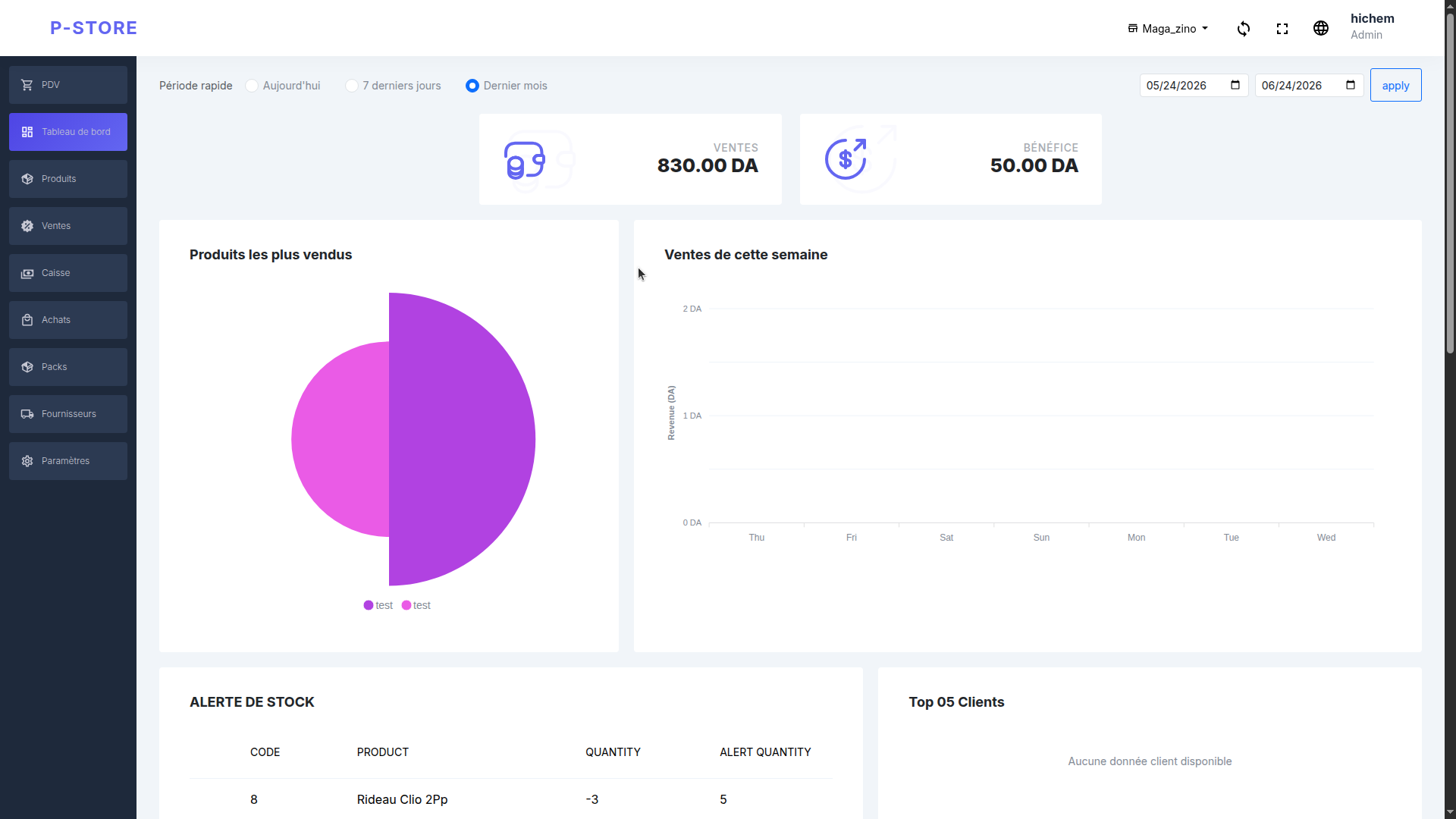
Silla dashboard on desktop — sales, profit, and stock overview
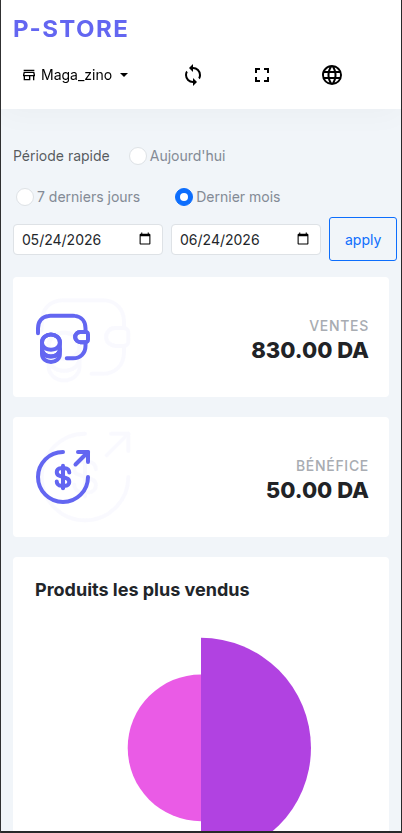
Silla on mobile — manage your store from your phone
Synced Live across devices
+12.4k DA Today's profit

Simple pricing

Choose your plan

Same powerful POS — pick cloud sync for multiple devices, or a one-time offline license for the counter.

Local

Offline

One payment for the counter — no subscription.

40 000 DA one-time
  • Full POS on one device — no internet required
  • Products, sales, stock, and receipts locally
  • No annual renewal
  • Ideal for a single checkout with unstable Wi‑Fi
Get Offline — one call, you're set 0673 71 07 05

Fast activation by phone — we're here to help you get started.

Quick comparison

Online Offline
Price 40 000 DA / year 40 000 DA once
Cloud sync Yes No
Devices Multiple One counter
Remote dashboard Yes No
Works without internet Yes Yes
Renewal Yearly None
Offline-first Keep selling without Wi‑Fi
All-in-one POS, stock, purchases & dashboard
3 languages Built for local shops

Everything your store needs

What you can do

From the checkout counter to your back office — one system that stays in sync.

  • Point of Sale

    Ring up sales fast with barcode support and a simple checkout. Create and edit sales and purchases with full history.

  • Products & stock

    Catalog products, track quantities, set low-stock alerts, and manage categories. Stock updates stay in sync everywhere.

  • People

    Keep customers and suppliers in one place. Link them to sales and purchases for clear records.

  • Dashboard

    Total sales and profit at a glance, top-selling products and top customers, this week's sales vs purchases, low-stock alerts, and recent sales and invoices—all in one view.

  • Install anywhere

    Install as a PWA on phone, tablet, or desktop. Use it in the browser or from your home screen. English, French, and Arabic.

  • Team & permissions

    Add employees with PIN access. Cashiers see only what they need; owners keep full control of sales, stock, and settings.

Simple setup

Up and running in minutes

  1. 01

    Open in your browser

    No install required. Sign up and create your store in seconds.

  2. 02

    Add products & go live

    Import from Excel or add items manually. Start selling from the POS.

  3. 03

    Track from anywhere

    Watch sales, profit, and stock on your dashboard — even from home.

Always connected

Live access from anywhere

Your store data lives on your device and in the cloud. When you're online, everything stays in sync—so you can open Silla on another device or from another location and see the same products, sales, and dashboard.

Online

Silla syncs in real time. Sales you ring up on the counter appear on your dashboard at home. Add a product on your laptop and it's available on the tablet.

Offline

No internet? No problem. Keep selling and recording purchases locally. When you're back online, changes sync automatically.

Track everything

Dashboard shows revenue, profit, top products, weekly trends, stock alerts, and recent invoices—so you always know how the store is doing.

See it in action

Built for counter and back office

Track sales and profit on desktop, then check stock alerts from your phone — same data, everywhere.

Silla desktop dashboard with sales, profit charts, and stock alerts
Desktop dashboard Sales, profit, top products, and low-stock alerts in one view.
Silla mobile view for managing your store on the go
Mobile & tablet Install as a PWA and follow your store from anywhere.

Use it your way

  • Silla in the browser
    Browser Open and start instantly
  • Silla on mobile
    PWA Install on phone or tablet
  • Windows Desktop app for the counter

Common questions

Does it work without internet?

Yes. Silla keeps your data locally and keeps working offline. When you're back online, everything syncs automatically.

Do I need to install anything?

No. You can open Silla in your browser and start right away. For the counter, you can install the Windows app or add it to your home screen as a PWA.

Can multiple employees use it?

Yes. Create employee accounts with PIN access and control which screens each person can see.

Ready to try?

Try Silla in your browser — free, no install required. Pick a plan when you're ready.